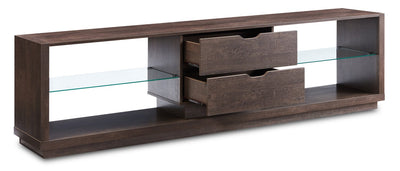
Entertainment furniture helps organize your TV setup by giving the screen a stable base and creating dedicated storage for media devices and accessories. If you’re furnishing a media room, a living room, or a bedroom TV area, media furniture can keep cords, consoles, and streaming gear in one place instead of spread across the room.
Types of media furniture
These terms often get used interchangeably, but they point to different sizes and storage levels. TV stands are typically the most compact option, media consoles add more built-in storage, and entertainment centres are usually the largest, often acting like a statement wall piece.
Choosing the right type depends on how much equipment you want to store and how much visual weight your room can handle.
TV stands
A TV stand is a practical choice when you want a simple footprint and just enough storage for essentials. This works well in apartments, smaller living rooms, and bedrooms where the room layout needs to stay flexible.
Media consoles and entertainment centres
A media console furniture piece typically adds more shelving or cabinets than a basic stand, which helps hide devices and reduce clutter. An entertainment centre goes bigger, with more sections for décor, speakers, and multiple components—ideal when you want one unit to anchor the whole room.
What to look for in entertainment furniture
The best entertainment furniture units solve the everyday mess: cords, devices, and “where do we put the remotes?” Think about how you actually use the space—movie nights, gaming, kids’ cartoons, or background TV while cooking.
Key features that make a difference:
Cable management openings and routing paths to reduce visible cords.
Space and airflow around devices to help prevent overheating (especially for consoles and receivers).
Storage mix: closed doors for clutter, open shelves for frequently used devices.
How to choose the right media furniture size
Start with your TV size and the wall width you’re working with. The Brick makes this easier by letting you shop entertainment system furniture by TV size supported, including options for 55" and under through 90" and over.
Media furniture styling tips
For small spaces, lower-profile media furniture can make the room feel more open while still giving you storage underneath the TV. In larger rooms, an entertainment centre can help fill an empty wall and create a finished focal point—especially if you need lots of storage for devices and décor.
If cords tend to take over, route and bundle cables before placing devices, then label wires so future changes are easier.
FAQs About Entertainment Furniture
What’s the difference between a TV stand, media console, and entertainment centre?
A TV stand is usually the smallest piece designed mainly to hold the TV. A media console typically includes more built-in storage, while an entertainment centre is usually the largest option, often combining shelves and cabinets for a full media wall look.
How do I pick the right entertainment furniture for my TV size?
Start with the TV’s size and choose a unit that supports it. The Brick’s page lets you shop by TV size supported (from 55" and under up to 90" and over), which helps narrow down compatible options quickly.
What features help keep a media unit looking tidy?
Look for cable management cut-outs or routing features and choose a layout that hides clutter (like closed cabinets). Bundling and labelling cables also helps keep things organized long-term.
Do entertainment centres need ventilation for devices?
Yes—electronics can generate heat, so it’s helpful to allow space around equipment for airflow. Some buying guides recommend leaving a bit of clearance around the TV and components to support ventilation and cable routing.